

Category · Web GUI for PostgreSQL
pgAdmin
Manage your Postgres from the browser, no terminal needed
Notify me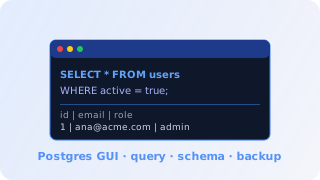
What pgAdmin is, in plain words
pgAdmin is the most-used web interface for managing PostgreSQL databases. Instead of opening a terminal and typing SQL commands, you browse tables, view rows in spreadsheet form, run queries with syntax highlighting and export CSV in one click. It is the easiest way for non-DBAs to investigate data, create indexes and manage users.
For a workflow
For a workflow saving data into shared Postgres, pgAdmin is where you go to confirm what the automation wrote — without bothering the IT team.
What you can do with it
Investigate data
Real-world use case
Customer reported a duplicate charge? Run SELECT in pgAdmin and investigate in seconds.
Operational maintenance
Real-world use case
Create an index, tweak a permission, recreate a sequence — all in the UI, no psql.
Spreadsheet exports
Real-world use case
Query result exported straight to CSV/JSON for the marketing/finance team.
Beta testers get special pricing
Want early access and a say in shaping the product? Get in touch. Beta testers receive special pricing for the whole beta period — no fixed % promise, just genuinely better pricing.
We'll let you know at launch
No spam. Just one email on the day it opens.
Frequently asked questions
Does it only work with your PostgreSQL?
Yes. Access is set up directly against your isolated schema in shared PostgreSQL.
Will other customers see my data?
No. Login is per-tenant and only sees your own schema. Even when two customers log in at the same time, they see different databases.
Can I grant access to a teammate?
Yes. You create an extra user in the panel and they get their own credentials with read-only or full permission.
Is there query history?
Yes. pgAdmin keeps local query history in your browser and you can save queries as favorites.